
Share Templates and Understand Creator Proof
On this page
Overview
Creator Proof helps people make an informed decision before they use a shared template.
It is a digital signature added when a template is exported. When someone opens that package, 5585 can check whether the package contents and creator credit match the proof that was included with it.
Creator Proof is optional. It is most useful when you plan to share templates or revise a template that other people already use.
Add creator details before exporting
In Template Setup, add your Creator Handle and, if useful, your Creator Platform.
When you export a template with a creator handle, 5585 creates and uses a local Creator Proof identity for the export. Later exports from the same app can continue using that identity, helping other collectors recognize an expected revision of the same template family.
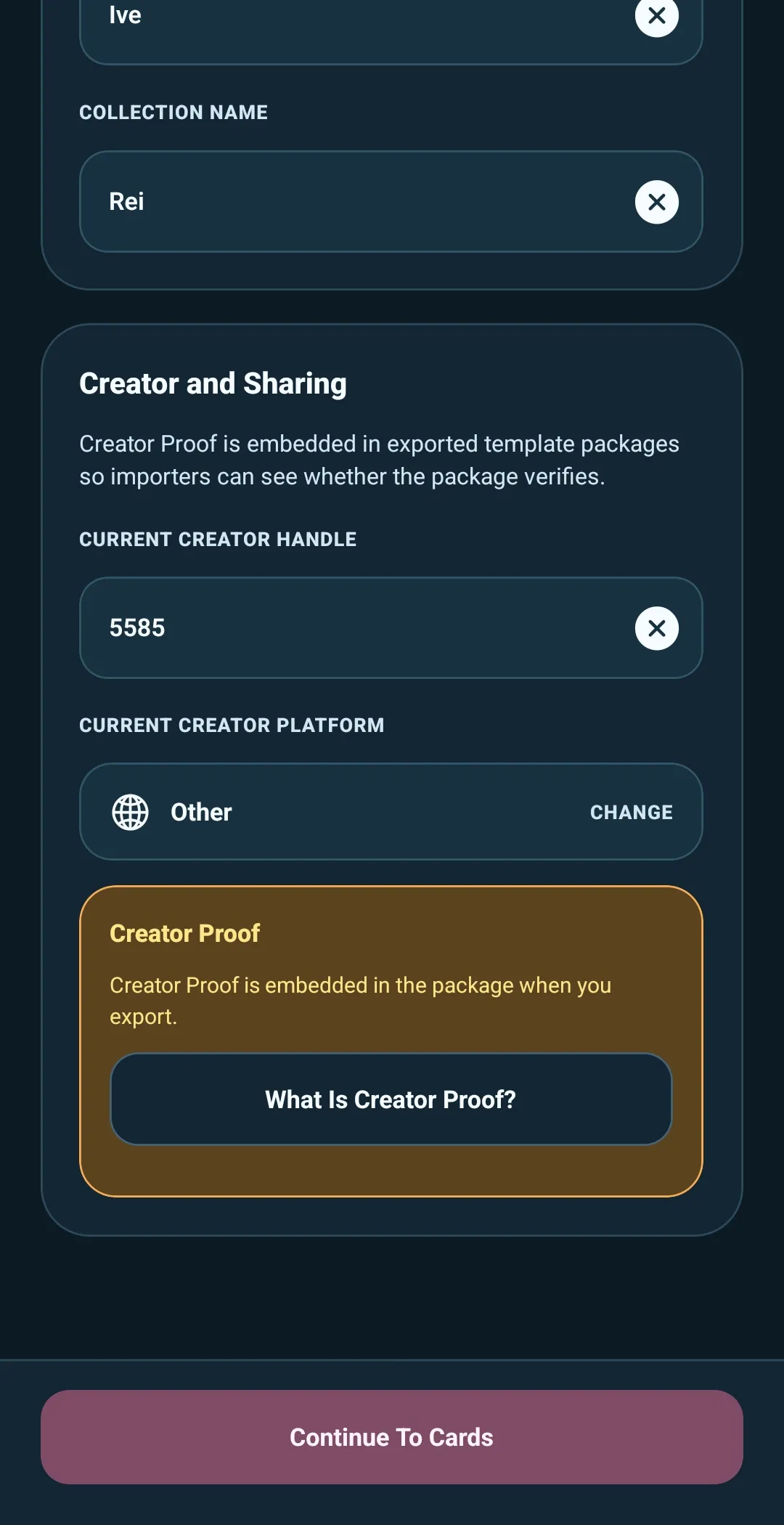
Original creator and current creator
A shared template can have both an original creator and a current creator.
- Original Creator is the person credited with the template family when it was first shared.
- Current Creator is the person who exported the version currently being opened.
The original creator credit stays with the template family. A revision can show a different current creator when someone else has prepared and exported that version.
This makes the history clearer without claiming that a template is official.
What the verification messages mean
When you import a template package or use one to update a collection, 5585 may show Creator Proof information.
- Verified — the package contents and creator credit match the embedded Creator Proof.
- Not Verified — the package does not include a valid current Creator Proof.
- Proof Does Not Match — the embedded proof does not match the package contents or creator credit.
- Creator Changed — the template family verifies, but it uses a different Creator Proof identity than the one seen previously.
These messages are there to help you notice an unexpected change before it affects your collection. If something seems unfamiliar, check the listed creator details and make sure you trust the source before continuing.
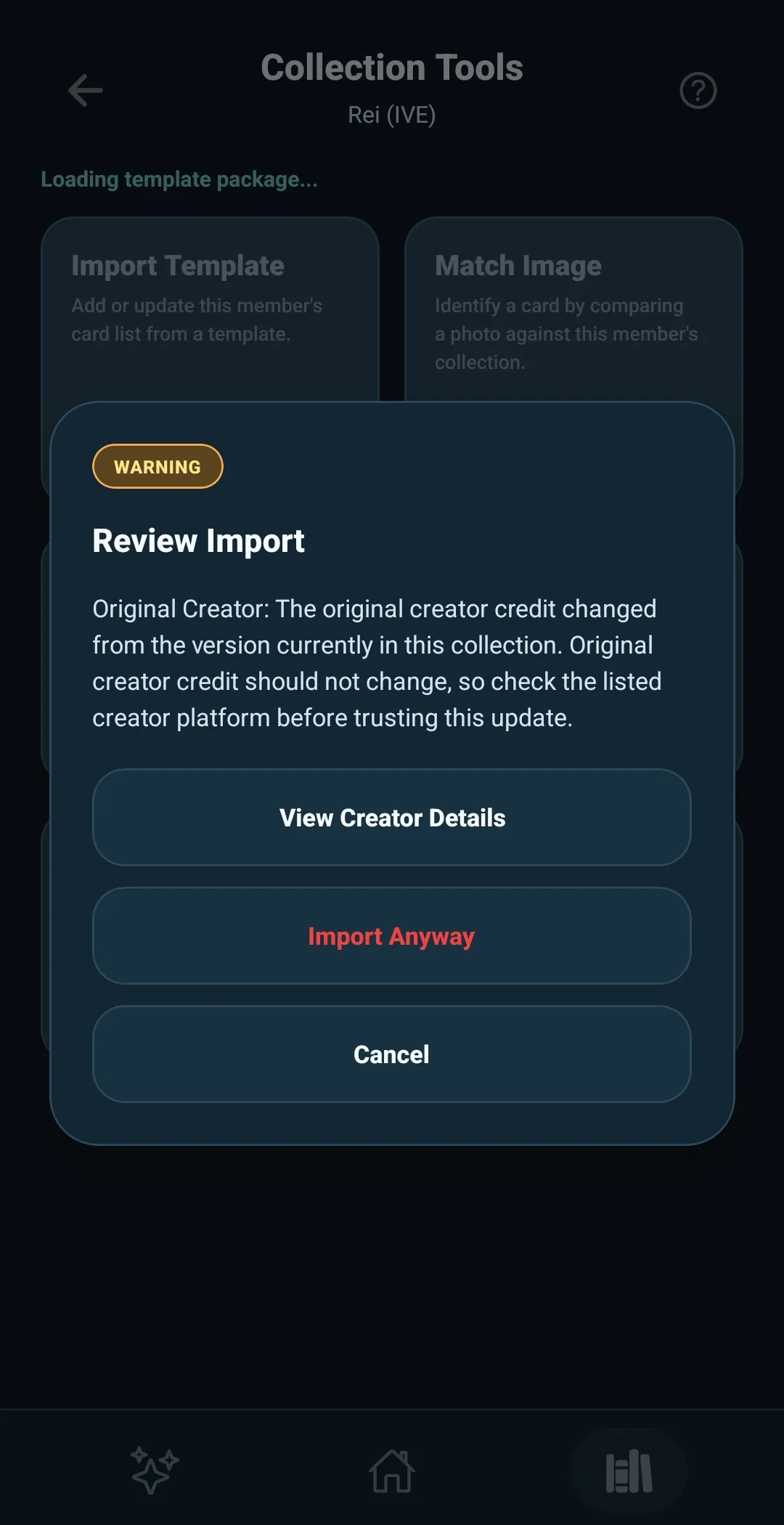
What Creator Proof does—and does not—do
Creator Proof can verify the package it is attached to and help show continuity between expected revisions.
It does not prove that:
- A template is official
- The card list is accurate, complete, or right for your collection
- A template is safe to use without your own review
Treat Creator Proof as useful package information, not a guarantee. You should still check whether a shared template fits the collection you intend to update.
Keep your creator continuity when moving devices
Your Creator Proof identity is stored on your device. When you make a full app backup, you can choose to include it. 5585 protects that copy with a password that you create for that backup.
Restore Creator Proof with the same password on your new device if you want future template exports to keep using the same creator identity.
Treat this backup copy like a private signing identity. Do not share a backup that includes Creator Proof unless you are comfortable with another person being able to export templates using that same creator identity.
You can still back up and restore your normal app data without including Creator Proof. The detailed backup and restore process is covered in Back Up and Restore 5585.