
Card Details and Personal Tracking
On this page
Open Card Details
Select a card from a collection to open its Card Details page.
This page is for your own copy of the card: what you have, what you are waiting for, what you want, and anything else you want to remember.
The card’s reusable image and identifying details come from the template. Your collection-side tracking belongs only to your collection.
Select the card image to open a larger full-screen preview.
Template Info is available for reference, but you do not need it to track a card. It contains template identifiers that help 5585 recognize the card across template updates.
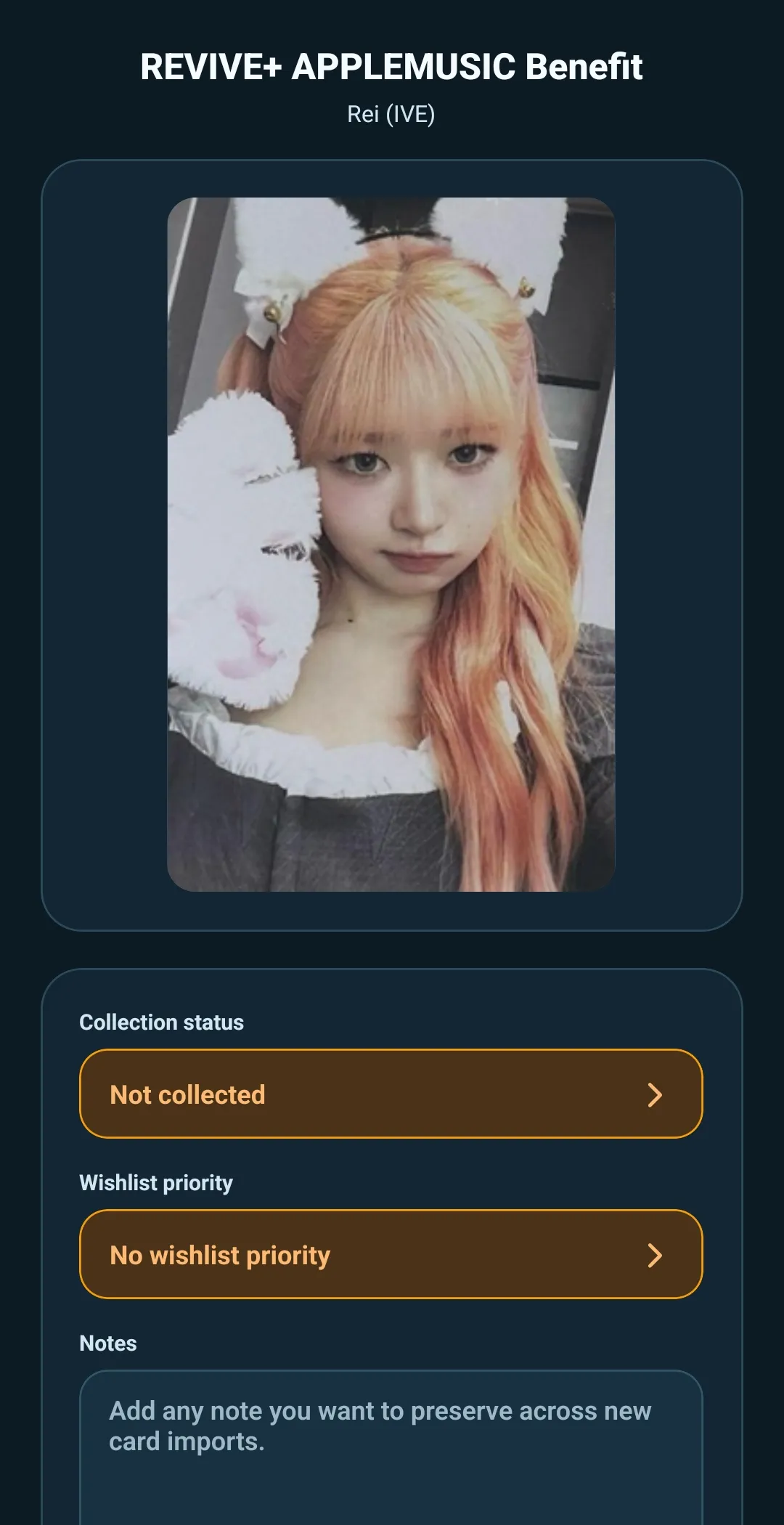
Set a collection status
Select Collection Status and choose one of four options:
- Collected — you have the card
- Ordered — you have obtained it, but it has not arrived yet
- Wishlist — you want the card
- Not collected — you do not currently have the card
Every card begins as Not collected until you change it.
Use the status that best reflects your own collection. It does not change the template or tell other collectors what they own.
Set a wishlist priority
Wishlist Priority appears when the card is Wishlist or Not collected.
Choose:
- High
- Medium
- Low
- No wishlist priority
Use priority when you want to distinguish a must-have card from one you would simply like to find eventually.
When a card is marked Collected or Ordered, wishlist priority is not shown because the card is no longer part of the active want list.
Add personal notes
Use Notes as a free field for anything useful to you.
For example, you could keep:
- Condition details
- Seller or trade context
- Price paid or target price
- Where the card is stored
- A reminder about a version or variation
- Any other personal tracking detail
A note is not part of the shared template. It stays with your collection copy of the card.
Save your changes
Select Save when you finish updating the card.
If you try to leave with unsaved changes, 5585 asks whether you want to save them first. This gives you a chance to keep your tracking updates before returning to the collection.
Keep tracking connected through template updates
Your collection status, wishlist priority, and notes are separate from the reusable template details.
When a revised template updates the collection, 5585 keeps matching cards connected so this personal tracking can remain with the correct card. That lets the card list improve without requiring you to rebuild your own collection notes and progress.