
Find and Manage Saved Templates
On this page
Overview
Saved Templates is your library of card lists stored in 5585. Use it to reopen work, check where a template is being used, or find a template you want to revise.
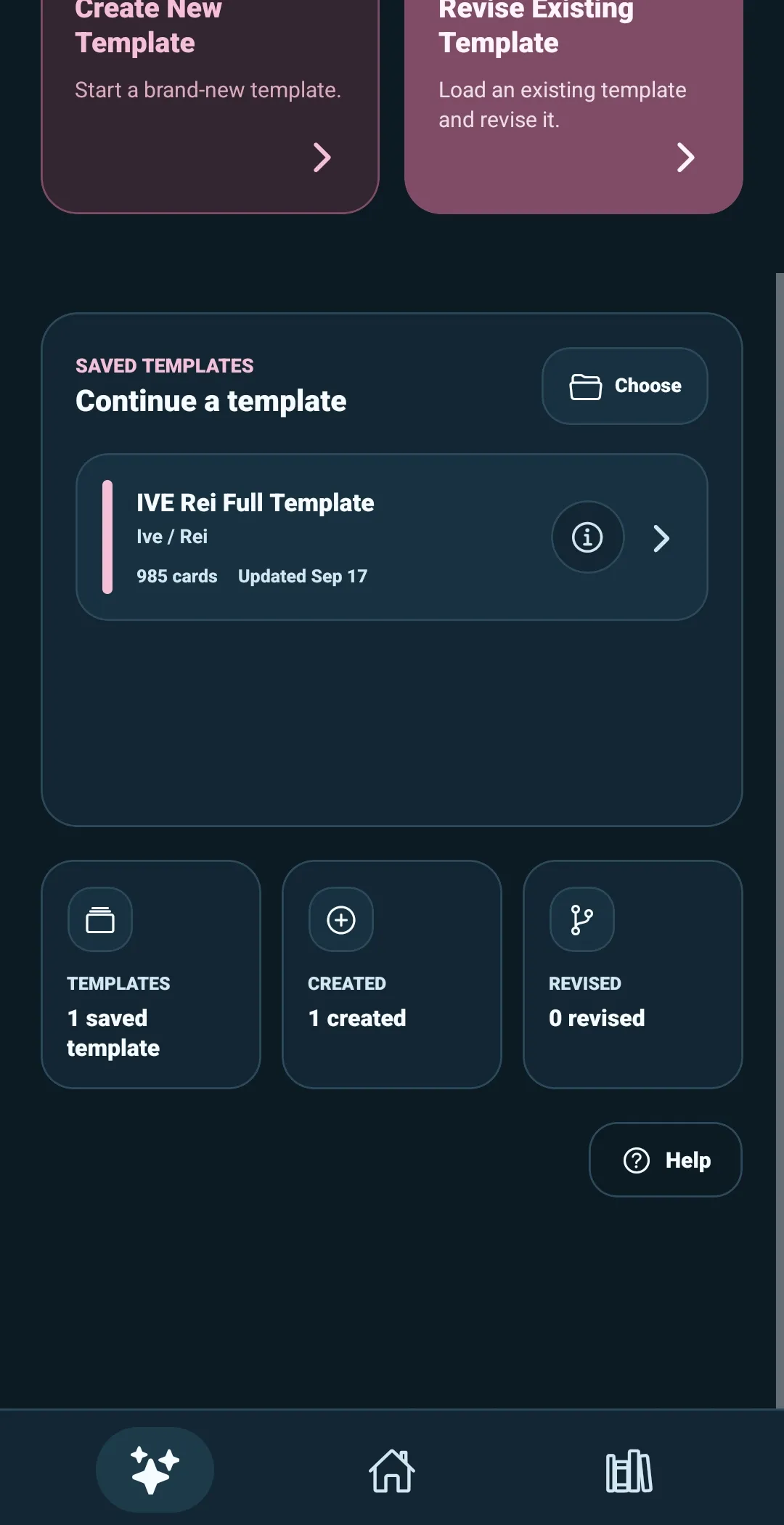
From the Template Builder start screen, select the Saved Templates area to open the full library.
Open a saved template
Each saved template shows a quick summary, including its name, collection details, origin, card count, and most recent update.
Select a template to open it in the revise workflow. You will see its Template Setup details first, then select Continue to Cards to work in the Template Builder editor.
A saved template may be:
- Created here — first made in this copy of 5585
- Imported — opened from an external template ZIP or folder
- Edited copy — saved as a separate copy of another template
- Revised here — an existing template that has been revised in 5585
The origin helps you understand where the template began. The card list and its details are what matter when deciding whether it is the template you want to open.
Search and filter the library
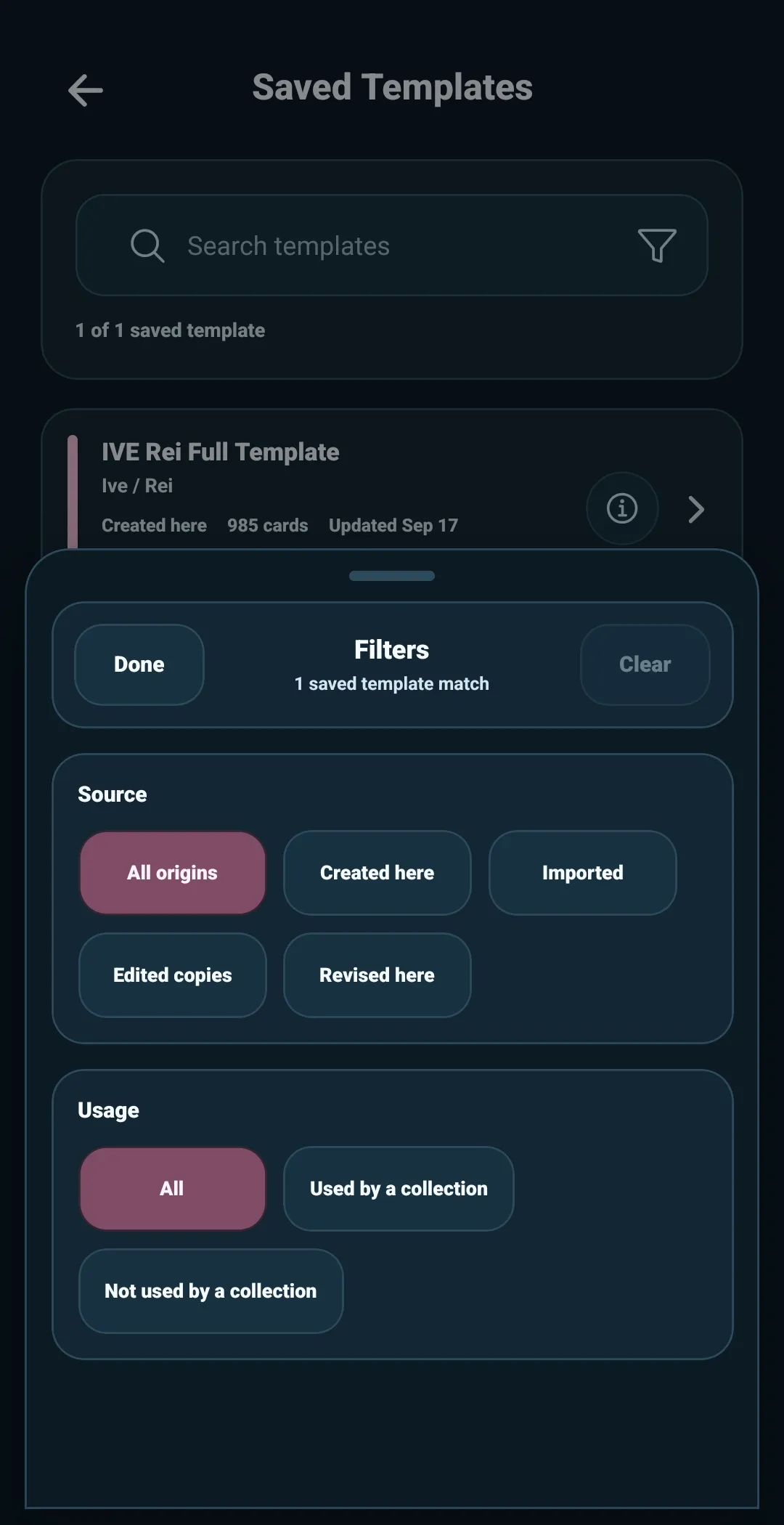
Use the search field when you know any part of the template you are looking for. Search can find templates by:
- Template name
- Group name
- Collection or member name
- Creator details
- Template family ID
You can also filter the library by:
- Origin — created here, imported, edited copy, or revised here
- Usage — used by one or more collections, or not currently used
For example, filter by Not Used to find templates you have saved but have not yet applied to a collection. Filter by Used when you want to revise a template already connected to one or more collections.
View template information
Select a template’s info icon when you want to inspect it without opening the editor.
The information view can show:
- Group and collection details
- Creator details
- Active card count
- Template metadata size
- Revision information
- Last updated date
- Template family ID
- Which collections use the template
This is useful when templates have similar names or when you need to confirm which version is connected to a collection.
Keep your library tidy
A template that is not used by any collection can be deleted from Saved Templates when you no longer need it.
If a collection uses the template, 5585 keeps it available instead of allowing it to be deleted. That protects the connection between the collection and the template it was built from.
Saving a template is not a one-time finish line. Think of Saved Templates as your working library: a place to return when a card list needs a correction, a new batch of cards, or a future revision.