
Card Details in Templates
On this page
Overview
Card details identify the card itself. You set them in Template Builder, and they travel with the template when it is saved, shared, or used to update a collection.
A template defines the card. A collection tracks it.
That means details such as a card’s era, source, and type belong in the template. Your own collection status, wishlist priority, and notes belong in the collection.
The details that describe a card
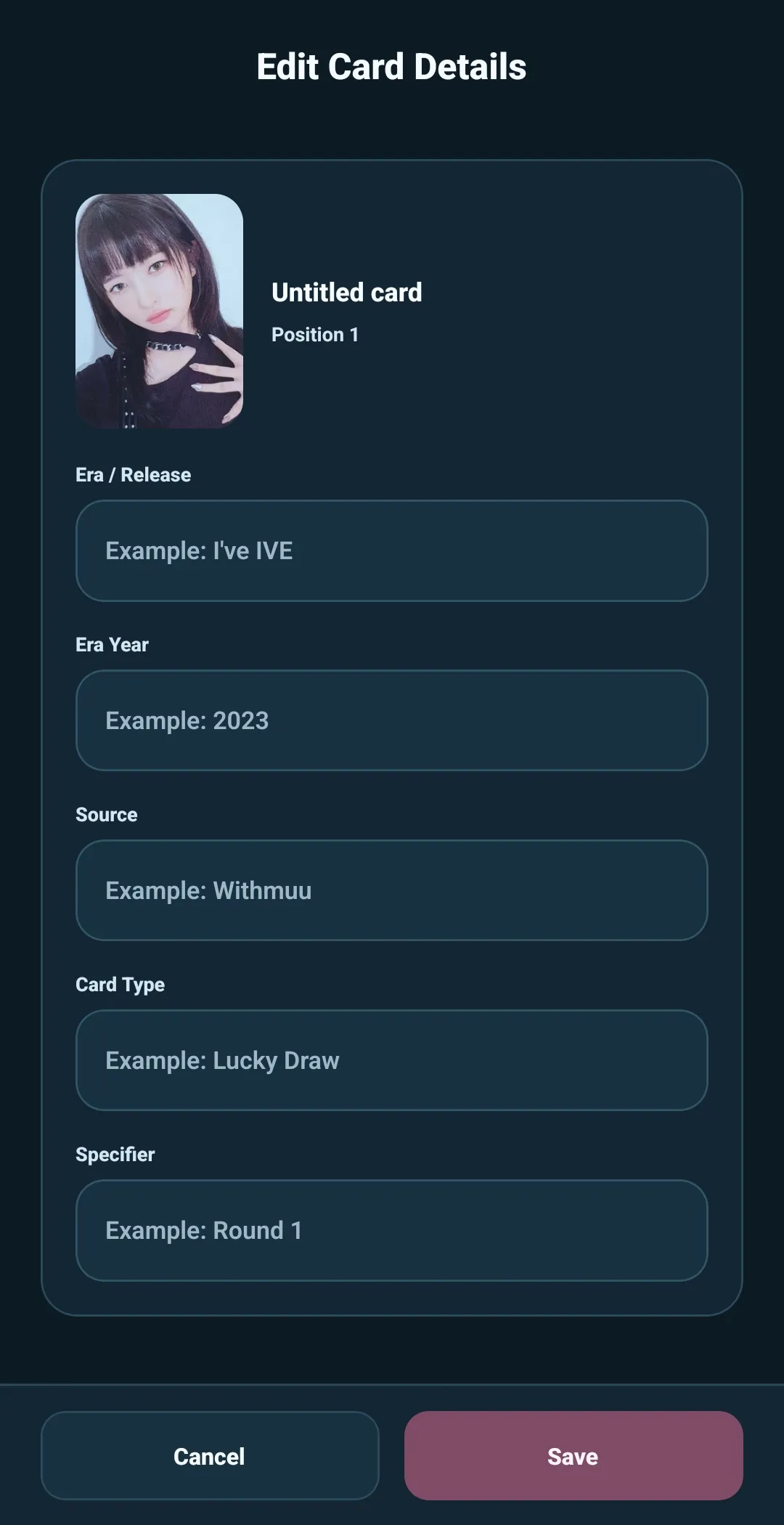
5585 uses these fields to describe and identify template cards:
| Detail | Use it for | Example |
|---|---|---|
| Era/Release | The release, tour, campaign, or other era | I'VE MINE |
| Era Year | The four-digit year that helps place the era in time | 2023 |
| Source | Where or how the card was available | Apple Music |
| Card Type | What kind of card it is | Lucky Draw |
| Specifier | The detail that separates one variation from another | Digipack Round 2 |
A source might be a store, event, tour stop, fan sign, platform, or version source. A specifier might be a version, round, set, pack, or other variation.
How 5585 creates a card name
5585 builds a card name from the identifying details you enter:
Era/Release + Source + Card Type + (Specifier)
For example:
- Era/Release:
I'VE MINE - Era Year:
2023 - Source:
Apple Music - Card Type:
Lucky Draw - Specifier:
Digipack Round 2
The card name becomes:
I'VE MINE Apple Music Lucky Draw (Digipack Round 2)
Era Year helps describe and organize the card, but it is not included in the generated name.
You do not need to fill every field for every card. 5585 uses the details that are available and leaves out the parts that are blank. The more consistently you use the fields, the easier the card list is to search, filter, and revise later.
Where to add details
You can add or change card details in three places:
- Review Added Cards — apply a shared value while a new batch is still being reviewed
- Edit Card Details — correct or complete one card at a time
- Bulk Edit — apply a change across cards already in the template
For example, if you add a batch of cards from the same I'VE MINE release,
apply that Era/Release during review. Then open individual cards to add the
source or variation that makes each one distinct.
Why the card can change without losing your tracking
A card’s details can be corrected later without breaking the connection to the collection. 5585 uses the card’s stable CardID behind the scenes to recognize the same card across a revision.
That is why you can improve an image, fix a source, or add a missing specifier in Template Builder, then update the collection while keeping the collection’s personal tracking connected to the matching card.